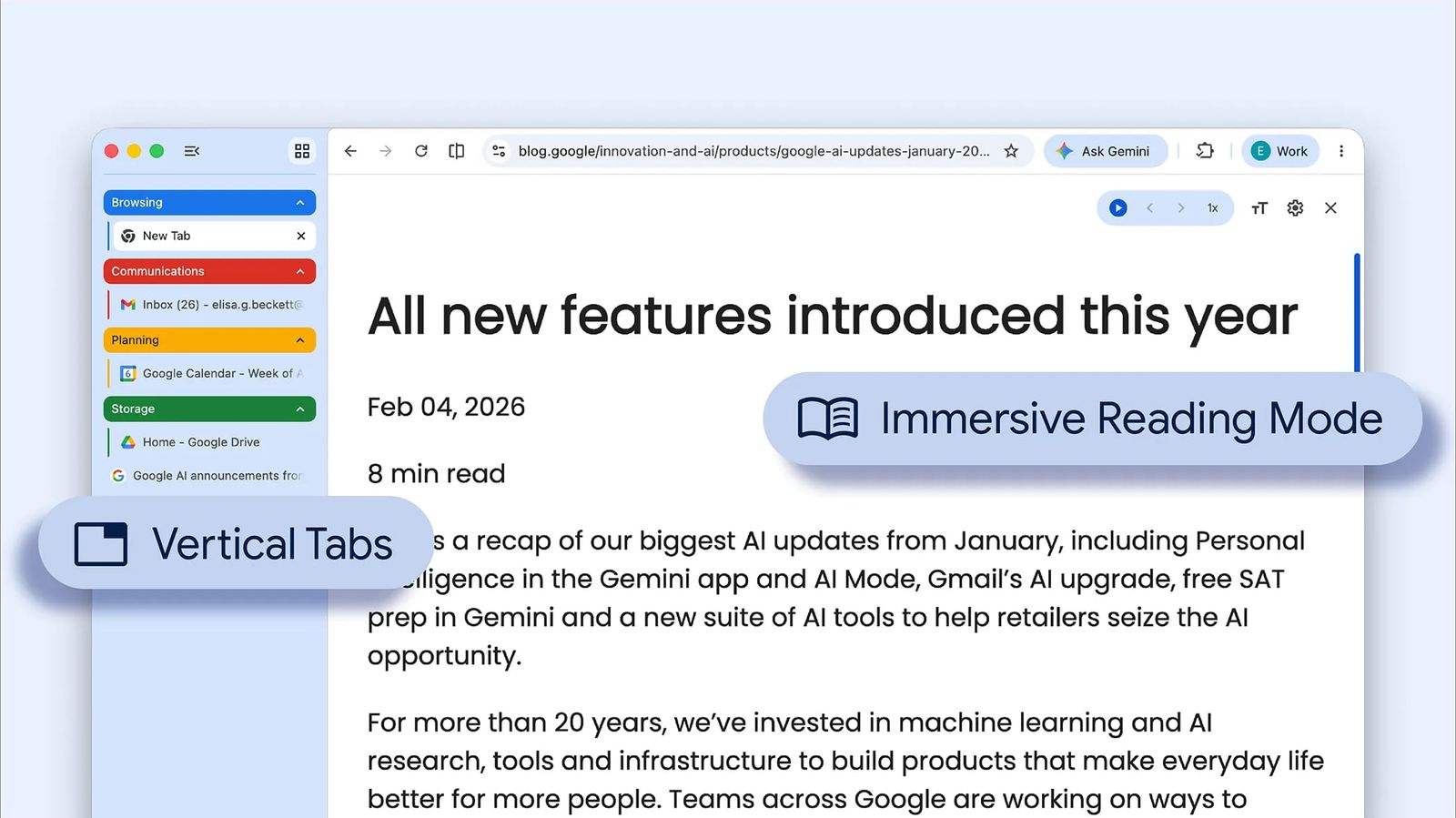
Google has released a significant update to its Chrome browser, introducing two key features: vertical tabs and an enhanced reading mode. These features are designed to improve the overall browsing experience and provide users with more control over their tabs.
Vertical Tabs Arrive in Chrome
The vertical tabs feature allows users to organize their tabs in a column layout, making it easier to view and manage multiple tabs at once. This feature is particularly useful for users who have a large number of tabs open at the same time. To access the vertical tabs feature, users can click on the three dots in the top right corner of the Chrome browser and select "Vertical tabs" from the drop-down menu.
The vertical tabs feature can be customized to suit individual preferences. Users can choose from different sizes for their tabs, as well as adjust the width of the tab column. This level of customization makes it easier for users to tailor their browsing experience to their needs.
Improved Reading Mode Delivers a Distraction-Free Experience
The enhanced reading mode is designed to provide a cleaner, distraction-free reading experience. This feature removes clutter and distractions from the webpage, allowing users to focus on the content. The reading mode also includes features such as dark mode and font size adjustment, making it easier for users to customize their reading experience.
The improved reading mode can be accessed by clicking on the three dots in the top right corner of the Chrome browser and selecting "Reading mode" from the drop-down menu. Users can also use keyboard shortcuts to switch between reading mode and standard browsing mode.
User Feedback and Future Updates
Google has encouraged users to provide feedback on the new vertical tabs and reading mode features. The company is committed to continuous improvement and is working to address user concerns and suggestions. Future updates to Chrome are expected to include further improvements to these features, as well as new functionality.
Users can provide feedback on the new features by visiting the Chrome forums or by submitting feedback directly to Google through the Chrome browser.
The introduction of vertical tabs and an enhanced reading mode marks an important step forward for the Chrome browser. These features demonstrate Google's commitment to improving the browsing experience and providing users with more control over their tabs.